
Canva Is Changing - And Here Is What You Should Know
I have been using Canva for years, and one thing I can say with confidence: this platform never stands still. Just when you think you know it well, something new appears. A feature you did not know existed. A tool that makes you think - wait, this would have saved me so much time.
That is exactly why I want to talk about what Canva has been announcing lately. Because 2026 is shaping up to be a big year for the platform - and the people who pay attention now will work smarter, faster, and with a lot less friction.
I am the kind of person who works smart and productively, without unnecessary wandering. If I can be more productive with the right tool - I use it. No hesitation. And Canva keeps giving me more and more reasons to stay.
Canva AI 2.0 - The Biggest Shift Yet
At a major CanvaCreate event, the team announced what they are calling their biggest transformation to date. The name is Canva AI 2.0 - and it is not just a feature update. It is a new direction for the whole platform.
Here is what it means in practice:
• AI that learns your style over time and personalizes every design to match it
• Connections to other platforms you already use - all inside Canva
• The ability to generate content, schedule tasks, and edit designs through simple chat-style instructions
• A platform that adapts to how you work - not the other way around
The rollout is happening gradually over the coming months. But some things are already live - and worth testing right now.
New Features You Can Already Try
1. AI Video Templates
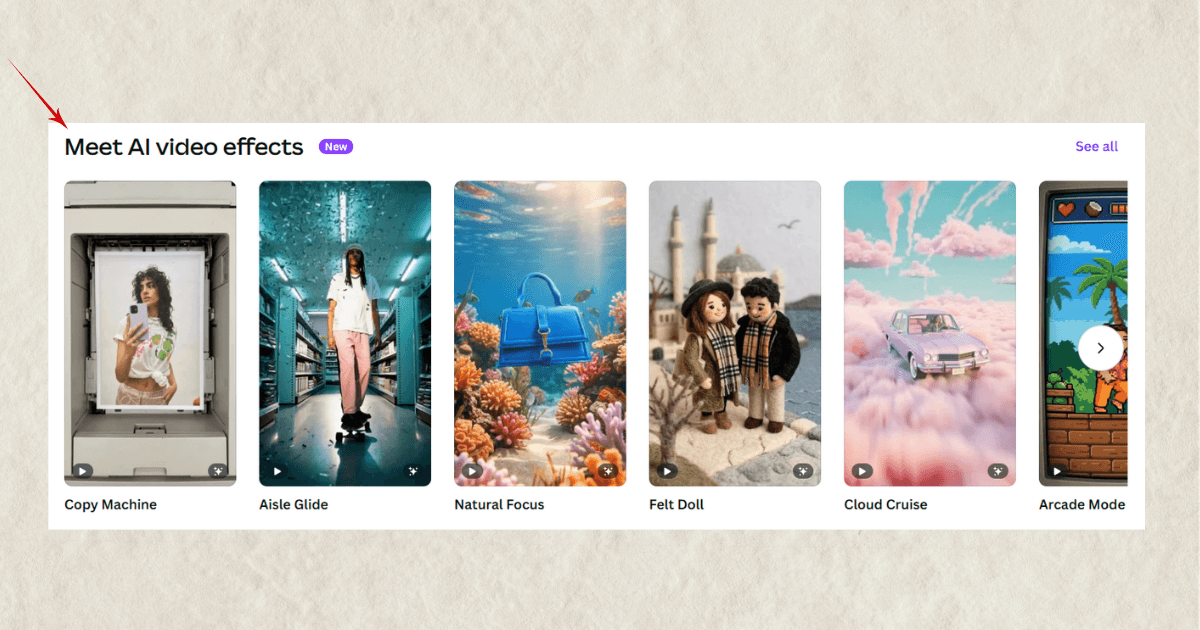
There is a new category inside Canva's templates section called AI Video Effects. You upload a photo, choose a template, and within a few minutes you have a short animated video — no filming, no editing, no complicated process. Just your image and the result.
For anyone creating content with a faceless strategy, this is genuinely useful. You do not need to appear on camera to have dynamic, eye-catching visuals.
2. Canva Offline Mode
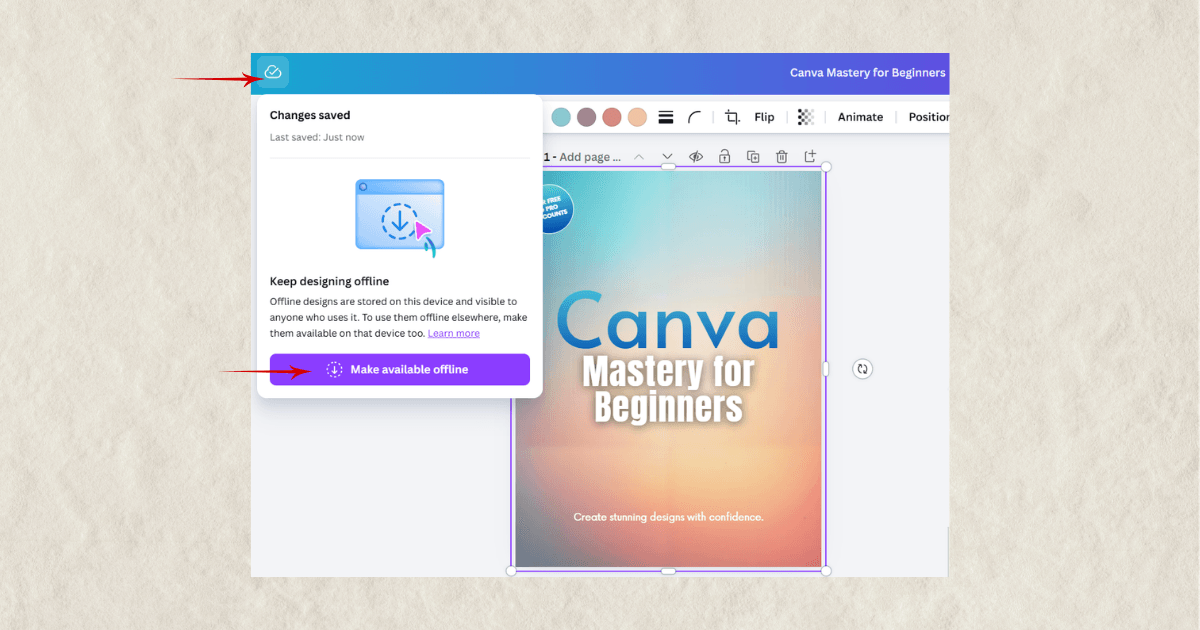
You can now work on your Canva designs without an internet connection. Once you are back online, everything syncs automatically. To activate it, just open any design and choose the option to make it available offline.
Small feature, real convenience. Exactly the kind of thing I appreciate.
3. New Caption Effects for Video
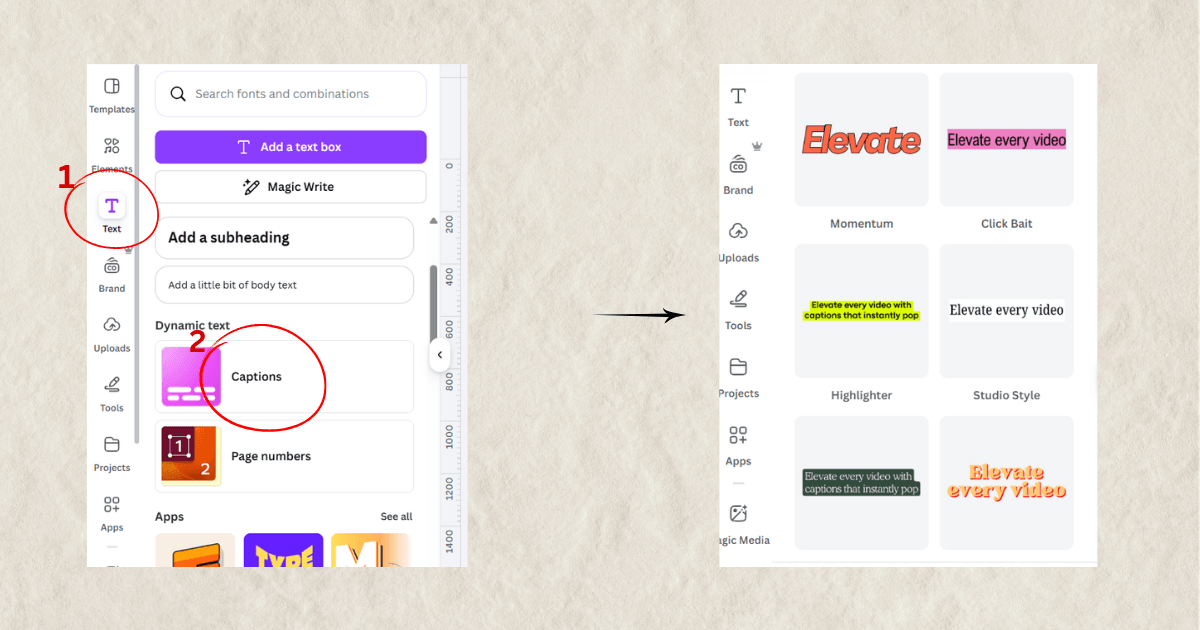
If you create video content in Canva, the subtitle options just got a serious upgrade. Many new animation styles and visual effects have been added. To find them, open a video project, click on Text while editing, and select Captions. You will see styles like Momentum, Highlighter, Studio Style, Evergreen, and more.
4. Canva Print Shop
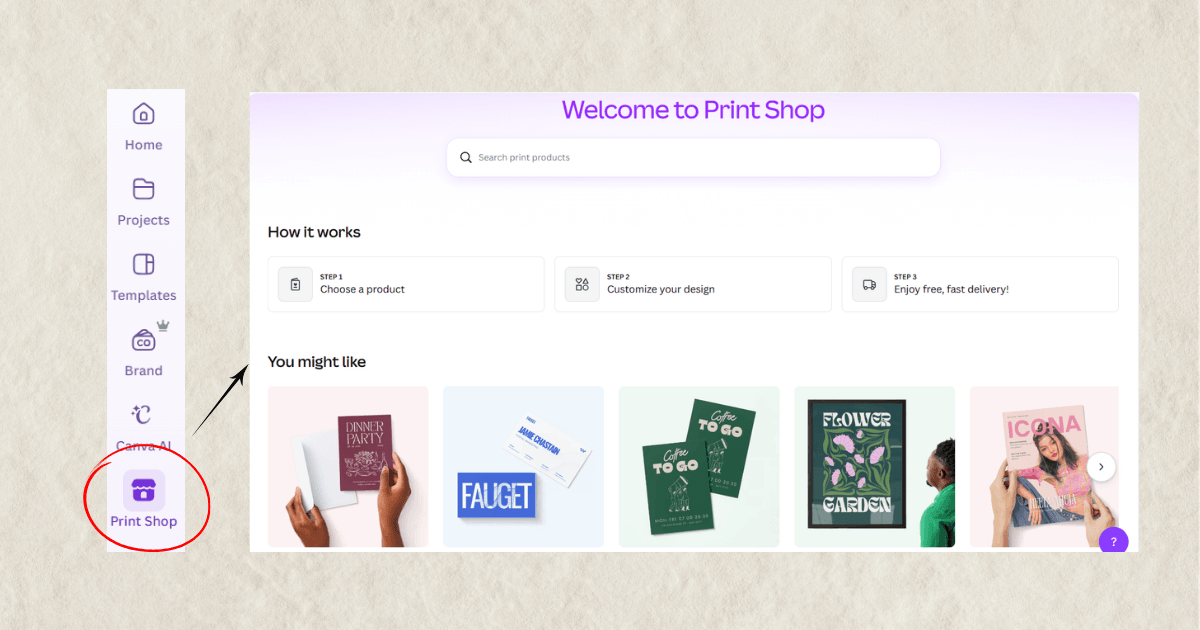
Canva's print service now has its own dedicated section, accessible directly from the left sidebar. You pick your format, choose a template, customize your design, and order - all without leaving the platform. Simple and straightforward, the way it should be.
Why This Matters
I love working with tools that keep up with the times and actually make everyday tasks easier. Canva is one of those tools. It keeps evolving, and every update is a chance to work a little smarter.
You do not need to test everything at once. Start with one feature - the one that fits what you are already doing. That is enough.
And if you want to go deeper with Canva, check out my Canva Crash Course - MRR + PLR Resell Rights - everything you need to work with Canva confidently and efficiently.
We are in this together.
Hristina